 Dedicated Support
 Safe & Secure online payment
How to install the pro version
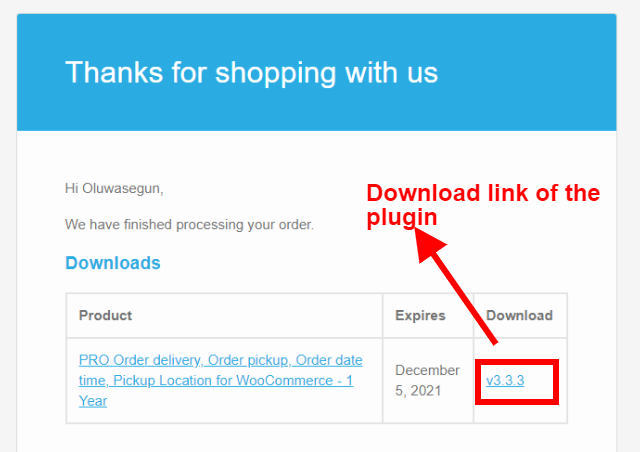
- Getting the pro version ZIP file: You can download the pro version from the download link given in the order confirmation email or from your account (your account was created when you purchased the plugin and the password was emailed to you). If you did not receive the order confirmation email or Password email, please check your SPAM folder and if it is not there, then email us at sales@piwebsolution.com.
- Deactivate the free version: If you were using the Free version of this plugin, then deactivate it before installing the PRO Version
- Installing plugin from Zip file: watch this video, it explains to you how to install a WordPress plugin from a zip file https://www.youtube.com/watch?v=CZ1-duHGk4o
It is downloading a folder instead of the zip file on macOS
Some time on macOS your downloaded zip files get auto extracted to a folder, in such case you need to disable this feature of macOS and then download the zip file. Here is a video that explains how to disable the auto extraction feature of macOS https://www.youtube.com/watch?v=CbKgEv47WVA.
Where to add the license key?
Once you have installed the pro version, go to the that plugin settings page and there you will find an Add license key tab over there you can add the license key
