 Dedicated Support
 Safe & Secure online payment

Try out Pro front end and backend on test site Try Demo Documentation
Turn Delivery Scheduling Into a Conversion Advantage
Unclear delivery timelines create hesitation at checkout — and hesitation costs sales.
Order Delivery / Pickup Date & Time gives your customers confidence by letting them choose exactly when and where they receive their order.
✔ Allow customers to select delivery date & time directly at checkout
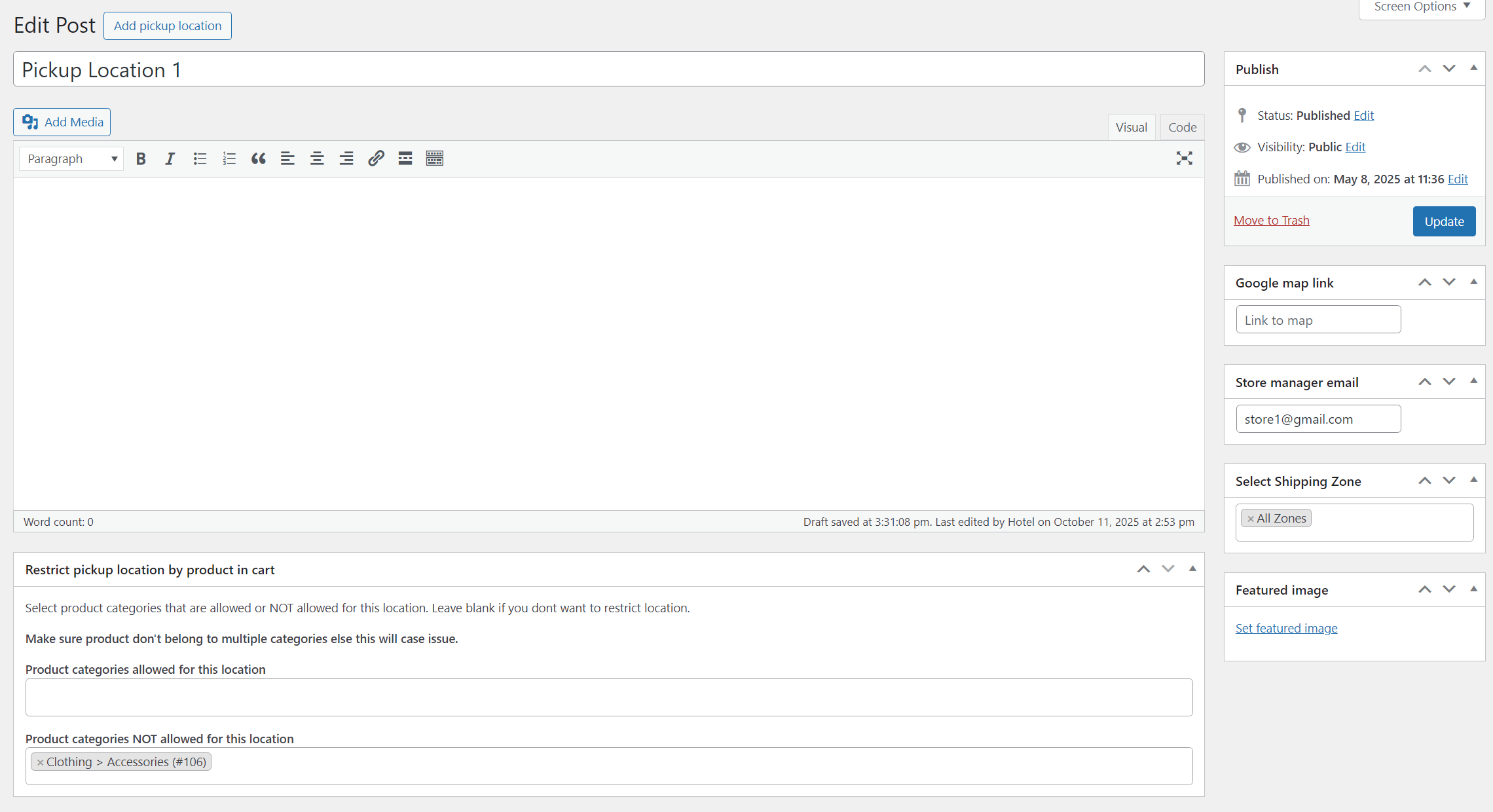
✔ Offer multiple pickup locations for convenient order collection
✔ Prevent confusion and reduce “When will my order arrive?” support requests
✔ Modify delivery schedules easily and notify customers instantly via email
✔ Simple setup — no complex configuration required
Designed for WooCommerce stores that want smoother operations, fewer delivery issues, and higher checkout completion rates.
Smart Time Slot Control — Designed for Real Store Operations
Delivery isn’t just about dates. It’s about precision.
✔ Create Flexible Time Slots: Set fixed intervals or continuous time ranges that match your real fulfillment capacity.
✔ Prevent Overbooking with Order Limits: Control how many orders can be scheduled per slot — protect your team from delivery overload.
✔ Customize Timings by Day: Different schedule for weekdays, weekends. Full flexibility.
✔ Disable Time Selection When Needed: Offer time slots only for delivery or only for pickup — or turn them off completely. You stay in control.


Delivery or Pickup — Let Customers Decide Instantly
Unclear fulfillment options create hesitation.
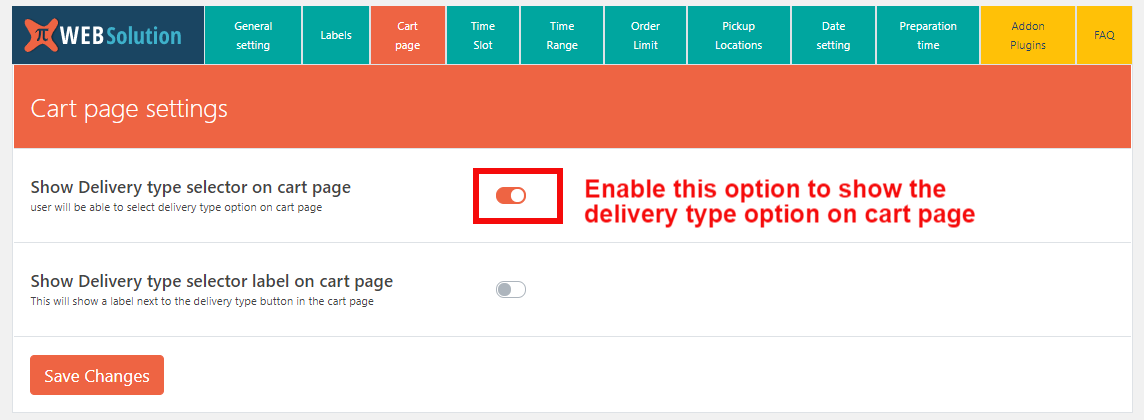
Give customers a clear choice between Delivery or Store Pickup directly at checkout — no confusion, no back-and-forth.
✔ Clear Selection at Checkout: Customers choose their preferred fulfillment method in seconds.
✔ Reduce Mistakes & Support Requests: Avoid misunderstandings about how the order will be received.
✔ Enable Only What You Offer: Don’t provide delivery? Disable it. Pickup not available? Turn it off. You stay fully in control.
Smart Order Limits — Stay in Control Even on Peak Days
Growth is great. Chaos isn’t.
With intelligent order limits, you decide exactly how many orders your store can handle — without overloading your team.
✔ Set Order Limits Per Time Slot: Control how many deliveries or pickups are allowed in each time window.
✔ Define Daily Capacity Limits: Cap total orders per day to match your real operational capacity.
✔ Special Date Overrides: Expecting high demand on holidays or promotions? Set custom limits for specific dates.
✔ Different Limits for Delivery & Pickup: Manage delivery workload separately from in-store pickup volume.


Advanced Quantity Limits — Prevent Overload Automatically
It’s not just about the number of orders.
It’s about how many items you can realistically fulfill.
This plugin tracks total product quantity per time slot, day, or specific date — and automatically blocks bookings that exceed your limit.
✔ Limit Total Product Quantity Per Time Slot: Set a maximum quantity allowed in each delivery window — not just order count.
✔ Automatically Counts Existing Orders: Already 7 items booked in a slot with a 10-item limit?
The system allows only 3 more items — then closes that slot.
No manual tracking. No mistakes.
✔ Smart Slot Protection: If a customer’s cart exceeds the remaining quantity, that time slot becomes unavailable instantly.
Reduce the cart quantity — and the slot becomes available again.
✔ Apply Quantity Limits by: Specific high-demand dates. Individual time slots. Entire days
Holiday & Closed-Day Control — Never Get Booked When You’re Closed
Your store shouldn’t accept orders when your team isn’t working.
With built-in holiday management, you decide exactly which dates are unavailable for delivery or pickup — and customers simply won’t see them at checkout.
✔ Block Specific Dates Instantly: Mark holidays, store closures, or special days off — those dates disappear from selection.
✔ Separate Rules for Delivery & Pickup: Closed for delivery but open for pickup?
Or vice versa?
Set different holiday dates for each method.
✔ Avoid Accidental Bookings: No more refunding or rescheduling orders placed on closed days.


Disable the checkout form field
Disable unnecessary checkout fields automatically based on the delivery type selected by the customer. For example, when a customer chooses Pickup, the Address field can be hidden instantly — keeping the checkout clean, relevant, and faster to complete.
Disable Payment Methods Based on Delivery Type
Automatically hide specific payment methods depending on whether the customer selects Delivery or Pickup. For example, you can disable Cash on Delivery when Delivery is chosen — ensuring customers only see valid payment options and preventing order confusion.


WooCommerce Mobile App Support
View the selected delivery date, time, and pickup location directly inside the WooCommerce mobile app under the Order Notes section — so you can manage orders anytime, from anywhere, without missing important scheduling details.
Order Preparation Time Control
Set different preparation times for Delivery and Pickup orders to match your real workflow. The plugin automatically adjusts and blocks unavailable time slots based on the required preparation time — ensuring you always have enough time to fulfill orders without delays.


Order Cutoff Time Control
Set smart cutoff times to prevent last-minute orders you can’t fulfill. Once the cutoff time passes, today’s date (or even tomorrow’s date) automatically becomes unavailable at checkout.
You can define same-day and next-day cutoff rules — and even set different cutoff times for Pickup and Delivery — ensuring customers only select dates you can realistically manage.
Lower Cost. Less Complexity.
This plugin includes the most essential features every store actually uses — nothing bloated, nothing unnecessary. That keeps the cost lower than most competitors and the setup simpler for you.
For advanced or rarely needed features, optional add-ons are available — so you only pay for what your store truly requires. No forced upgrades. No paying for features you’ll never use.

OPTIONAL ADD-ON PLUGINS
We have added the most commonly used feature by any shop in the core plugin itself, For rarely needed features we have made add-ons. In case you can’t find your requirement in the core plugin check out the below add-on list, you may find your required feature in this add-on list, and then you can buy this add-ons as per your need.
Preparation time master
This allows you to change various settings of the core plugin on the product level
- Set different preparation times for each product
- Make product only available for pickup or delivery, or both
- Set product as only available at specific pickup location only
- Make the product available on a specific day or date
Different date times for Different pickup stores and Different delivery areas PRO
This allows you to change various settings of the core plugin on the product level
- Offer different Times for different pickup stores
- Set different working days for different pickup stores
- Offer different Times for different delivery zones (e.g: based on delivery area postcode)
Pro Order Calendar for WooCommerce
- It can show the delivery date on the calendar
- Show pickup dates on the calendar
- Sync Pickup and delivery date to Google Calendar: So you can see which order is to be delivered or picked on which date in your Google Calendar
- This can be helpful for you to see upcoming delivery and pickup dates
- Show the calendar on the front end using the short code [order_calendar]
- Your staff can log in to the front end of the site to see order detail
- Assign order detail access as per the employee’s role
- If an employee is in production, show them the product detail of the order
- If an employee is in delivery, then only show him customer detail or even product detail
Delivery date, time preference selection popup
- This plugin allows you to get user delivery preference way before they reach the checkout page.
- There are multiple ways to trigger the preference popup:
- Link-based trigger: create a link class name “pisol-date-time-popup” and that link will trigger the preference popup
- Auto-load the preference popup on every page until the user saves his preference
- Buyers can change their selected preference again on the checkout page
- Auto-fills the user-selected preferences on the checkout page
- Option to customize all the text of the form in your language, from plugin setting + Loco translator
- Customize the looks of the preference popup
Minimum Purchase Amount for Delivery/Pickup order Pro
- Set the Minimum purchase amount to get the Delivery option
- Minimum purchase amount to get the Pickup option
- You can set a custom message to inform the user about the minimum purchase amount restriction
- You can show a message when the user does not qualify for the delivery option, so the customer will know how he can get the delivery option
- Likewise, if you want to set a minimum purchase about the restriction on your shop, you can do that as well by setting minimum purchase amount restriction on delivery and pickup orders both
Special Working date and special timing Pro
- You can set special working dates that are outside your preorder day range
- You can set special timing for this special date as well
- You can use this plugin to change the time slot of some normal working dates as well
Delivery pickup reminder email WooCommerce PRO
This is an add-on plugin for order delivery date and time plugin. It automatically sends a reminder email to your customer, admin, and staff regarding upcoming delivery or pickup for their order. You can configure in the plugin how much time before a reminder email should be sent.
E.g: if the user places a pickup order for 25th April 2020 at 3:00 PM and you have set the reminder time to be 30 min
then the customer will receive a reminder email on 25th April 2020 at 2:30 PM